- Homepage
- User guide
- Digital Limited Express Ticket Service
reservations /
displaying the
boarding
screen
Digital Limited Express Ticket Service
The “Digital Limited Express Ticket Service” can be used to ride Limited Express trains without having to pick up a ticket in advance just by showing the reservation details on a smartphone or other device.
* To ride a Limited Express train, a basic fare ticket, ICOCA, commuter pass, or WEST QR Service ticket is required in addition to the Digital Limited Express Ticket.
How to board the train
Be sure to show the digital boarding screen or a printed copy to staff.
- * The boarding screen can be displayed from “Reservation Lookup” on the JR-WEST ONLINE TRAIN RESERVATION website.
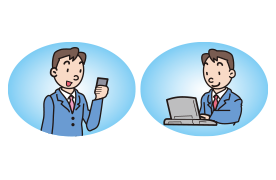
1. Reserve by smartphone or computer
Select “Digital Limited Express Ticket” when making your reservation.
Payment is by credit card only.
Before boarding, prepare the digital boarding screen on your smartphone or computer. If using a computer, please print the screen and bring it with you.
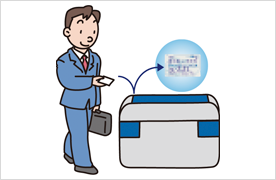
2. No need to pick up a Limited Express ticket! Just go to the train after arriving at the station.
At the station ticket gate, enter using your basic fare ticket, ICOCA, commuter pass, or WEST QR Service ticket. Do not use the Digital Limited Express Ticket at the ticket gate.
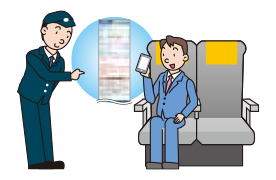
3. Use your smartphone as your Limited Express ticket!
On the Limited Express train, staff may ask to see your ticket. In such cases, please show your Digital Limited Express Ticket—either on your smartphone screen or as a printed copy—together with the basic fare ticket, ICOCA, commuter pass, or WEST QR Service ticket used to enter the station.
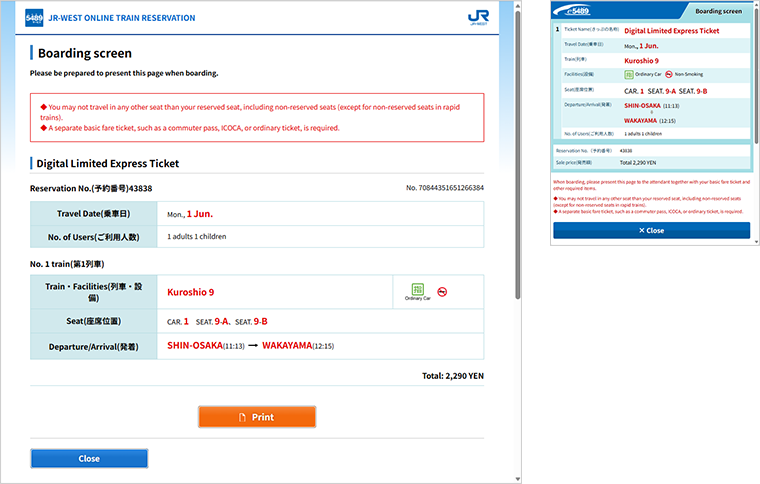
Boarding screen
If using a computer, press the “Print” button to display a print-only screen. Please print that screen and bring it with you when boarding.
Products Overview
View product details.
Main Conditions of Use
- • Reservations are possible up to 2 minutes before the departure time of your chosen train.
- • To ride a Limited Express train, a basic fare ticket, ICOCA, commuter pass, or WEST QR Service ticket is required in addition to the Digital Limited Express Ticket.
Purchasing only a basic fare ticket is not possible using JR-WEST ONLINE TRAIN RESERVATION. Basic fare tickets must be purchased at a station. - • The Digital Limited Express Ticket Service is available only on some Limited Express trains.
- • Changes to reservations can only be made between Digital Limited Express Tickets. Changing to a regular ticket or other product is not possible.
- • Please use the train and seat you reserved.
- • Use of any train or seat other than the one you reserved, including non-reserved seats, is prohibited.
- • If several people are traveling together, this service can be used only when everyone travels on the same itinerary as the person making the reservation.
- • When boarding, please be sure to bring the credit card used for the reservation. Staff may ask to check it.
- • A Digital Limited Express Ticket reservation can also be exchanged for a paper ticket at a ticket-vending machine.
- • Purchasing only a “Child” Digital Limited Express Ticket is not possible.